Configure Lakeflow Jobs to Prevent Overlapping Runs
Short answer
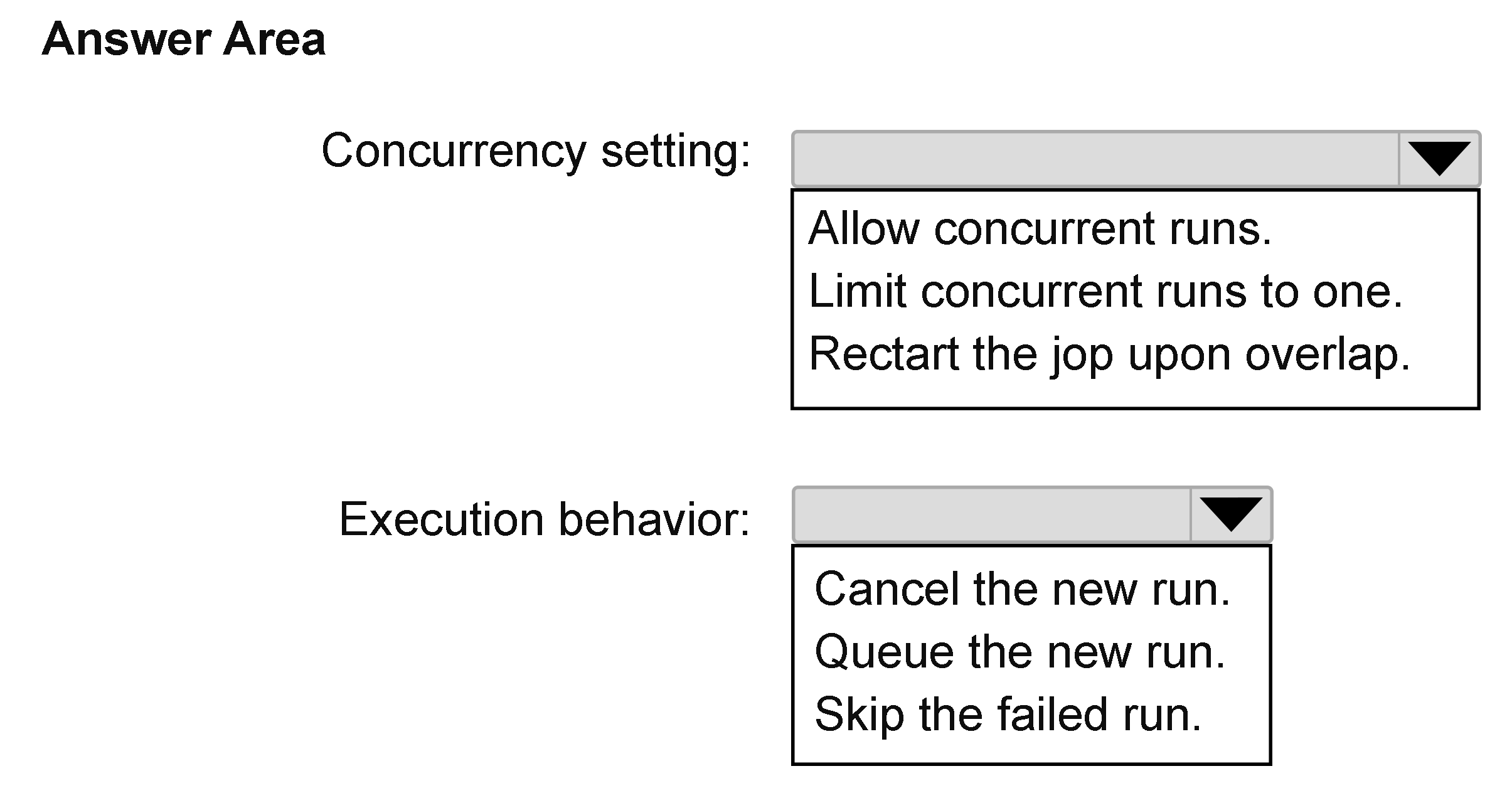
Concurrency setting: Limit concurrent runs to one; Execution behavior: Queue the new run
Question
You have an Azure Databricks workspace that contains a job in Lakeflow Jobs named Job1.
Job1 runs every hour.
Occasionally, the job run takes longer than one hour to complete. Overlapping runs must be prevented to avoid data corruption.
You need to configure the job scheduling behavior.
What should you configure? To answer, select the appropriate options in the answer area.
NOTE: Each correct selection is worth one point.
Key Takeaways
The trap is choosing to cancel new runs to save resources, but queuing ensures data completeness while still preventing the dangerous overlap that causes corruption.
Learn how to configure Azure Databricks Lakeflow Jobs to prevent overlapping executions and data corruption by limiting concurrency to one and queuing new runs.
Common mistake: Learners often select 'Cancel the new run' thinking it is more efficient than queuing, but this fails to meet the implicit requirement of processing all scheduled data, potentially leading to incomplete datasets.
Expert Analysis
To prevent data corruption caused by overlapping job runs in Azure Databricks Lakeflow Jobs, the configuration must address both concurrency limits and execution behavior.
Concurrency Setting: Limit concurrent runs to one The primary requirement is to stop multiple instances of Job1 from running simultaneously. By setting the concurrency limit to 'one', you ensure that only a single instance of the job can execute at any given time. This directly prevents the race conditions and storage conflicts that lead to data corruption when two runs access the same data resources concurrently.
Execution Behavior: Queue the new run When a new scheduled trigger occurs while the previous run is still active (which happens occasionally due to long execution times), the system needs a strategy for handling the incoming request. Selecting 'Queue the new run' ensures that the new instance is held in a queue and starts immediately after the current run completes. This guarantees that no runs are skipped or lost, maintaining data integrity and completeness. In contrast, options like 'Cancel the new run' would result in missed processing windows, which may not satisfy downstream data requirements even if it avoids overlap.
While some learners argue that cancelling might be safer to avoid queue buildup, the standard best practice for critical jobs where data completeness is paramount is to queue them. The prompt emphasizes avoiding corruption (overlap) but does not state that missing a run is acceptable. Therefore, queuing is the correct approach to handle the occasional delay without dropping data.
Exam Strategy
When configuring job schedules, always identify the conflict resolution strategy first. If the goal is strictly to prevent overlap and resource contention, set concurrency to 1. Then, choose between 'Queue' (for data completeness) and 'Cancel' (for resource efficiency). In most exam scenarios involving data pipelines, 'Queue' is the preferred answer unless the question explicitly states that dropped runs are acceptable.
Frequently Asked Questions
What happens if I set concurrency to more than one?
Why not cancel the new run instead of queuing it?
Discussion 3 contributions
Compiled from public community threads and reader submissions, lightly edited for clarity. Handles and vote tallies are shown as recorded, and comments reflect the views of individual contributors.
From public community threads 3
-
SarathChandra 👍 8Execution behavior: Queue the new run New runs are queued and start after the current run completes.
-
Frazer1 👍 5Concurrency setting: Limit concurrent runs to one. Execution behavior: Queue the new run. Concurrency setting: Setting the limit to Limit concurrent runs to one. It prevents multiple instances of Job1 from executing simultaneously, avoiding data race conditions and storage corruption. Execution behavior: Selecting Queue the new run. ensures that when a new scheduled run is triggered while the previous instance is still executing, the new run waits in the queue until the active run finishes, rather than being cancelled or skipped.
-
mtc9 👍 1the requirements didn't specify what to do with concurrent run, only to avoid overlapping, but the fact that extended run over 1h happens only occasionally, would make queue runs possible without growing the queue, assuming that next runs would take LESS than 1h, to reduce back the queue to 0. But without this knowledge and not relying on assumption, cancel paralel run would be safer option, especially that the jobs are frequrnt, so not much loss waiting less than 1h for next run. So I would pick CANCEL for second question.
Reader comments & corrections
No reader corrections yet — spotted an error or have a note? Share it below.