AWS SageMaker CI/CD Pipeline Automation with S3 Events
HOTSPOT
A company wants to host an ML model on Amazon SageMaker. An ML engineer is configuring a continuous integration and continuous delivery (Cl/CD) pipeline in AWS CodePipeline to deploy the model. The pipeline must run automatically when new training data for the model is uploaded to an Amazon S3 bucket.
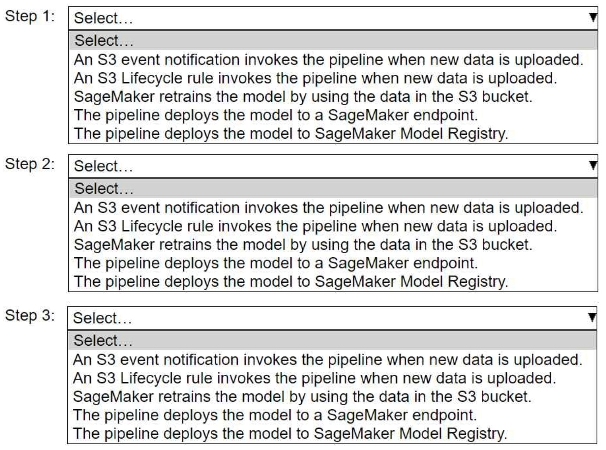
Select and order the pipeline's correct steps from the following list. Each step should be selected one time or not at all. (Select and order three.)
• An S3 event notification invokes the pipeline when new data is uploaded.
• S3 Lifecycle rule invokes the pipeline when new data is uploaded.
• SageMaker retrains the model by using the data in the S3 bucket.
• The pipeline deploys the model to a SageMaker endpoint.
• The pipeline deploys the model to SageMaker Model Registry.
Community Insight
The correct sequence relies on S3 Event Notifications as the trigger, followed by retraining, and finally deploying to a live Endpoint rather than just the Model Registry.
This guide explains how to automate an AWS SageMaker ML pipeline triggered by new data uploads using Amazon S3 event notifications, CodePipeline, and model deployment steps.
Learners often confuse S3 Lifecycle rules (for storage management) with Event Notifications (for triggering actions), or they incorrectly select 'Model Registry' as the final step instead of 'Endpoint'.
Community Discussion (4 comments)
Comments & Corrections
No comments yet — spotted an error or have a note? Share it below.
Expert Analysis
Why the Answer Is Correct
The logical flow for an automated machine learning pipeline requires three distinct phases: Trigger, Process, and Deploy. First, an S3 Event Notification is the standard mechanism to invoke AWS CodePipeline when objects are created in a bucket. Second, once the pipeline starts, it must perform the core ML task, which is retraining the model using the newly uploaded data. Third, to make the model available for inference, it must be deployed to a SageMaker Endpoint; simply registering it in the Model Registry does not serve live traffic.Why Other Candidate Answers Are Wrong
S3 Lifecycle rules are designed for transitioning data between storage classes or expiring objects, not for triggering compute pipelines. While SageMaker Model Registry is crucial for versioning and approval workflows, it is a catalog, not a serving endpoint. Deploying to the registry alone leaves the model unhosted and inaccessible to applications requiring real-time predictions.Community Comment Notes
Community consensus strongly supports the sequence: Event Notification -> Retrain -> Endpoint. As user djeong95 noted, the event notification is the clear starting point. User 0c2d840 correctly distinguished that while Model Registry is important, the question asks for deployment, which implies making the model live via an Endpoint. User chris_spencer confirmed that the typo in some discussions regarding the third step refers to the distinction between registry and endpoint, validating the Endpoint choice.Official Reference
Exam Strategy
When asked about automation triggers in AWS, always look for 'Event Notification' or 'CloudWatch Events' for S3 actions. For the final step of an ML pipeline, distinguish between 'Registering' (versioning/approval) and 'Deploying' (serving/inference); if the goal is to use the model, choose the Endpoint.
Frequently Asked Questions
What is the difference between S3 Event Notification and Lifecycle Rule?
Event Notifications trigger actions (like starting a pipeline) when data changes. Lifecycle Rules manage the storage class and expiration of objects over time.
Why deploy to Endpoint instead of Model Registry?
Model Registry stores versions for tracking and approval. An Endpoint provides the actual infrastructure to serve real-time inference requests from applications.
Related Analysis
Practice All MLA-C01 Questions
Access 115 questions with complete answers and detailed explanations.
View Full MLA-C01 Practice Test →