How to remove Delta files and logs after 90 days in Unity Catalog?
Short answer
Set delta.deletedFileRetentionDuration to 90 days and run VACUUM to remove deleted data files older than 90 days while tables remain queryable.
Question
You have an Azure Databricks workspace that is enabled for Unity Catalog.
You need to implement a data lifecycle and expiration solution that meets the following requirements:
Transaction logs and deleted data files that are older than 90 days must be removed from Delta tables to reclaim storage.
All the tables must remain available for querying during the cleanup process.
Administrative effort must be minimized.
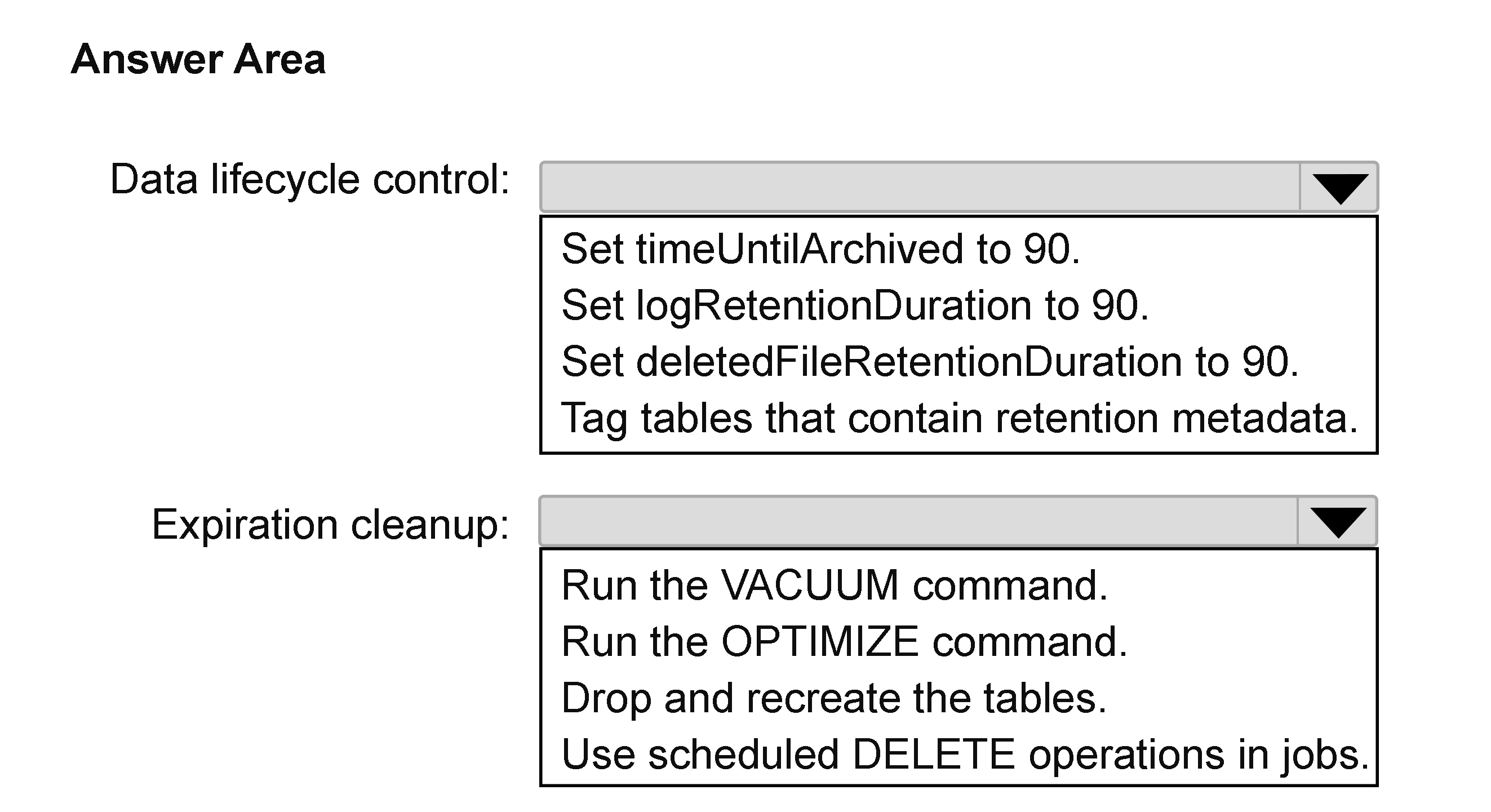
What should you do for each requirement? To answer, select the appropriate options in the answer area.
NOTE: Each correct selection is worth one point.
Key Takeaways
Tests Delta Lake retention properties versus VACUUM, and the trap is choosing delta.logRetentionDuration when the dropdown allows only one property and the cleanup mechanism must actually reclaim deleted data files.
This DP-750 hotspot asks you to choose the Delta table property and cleanup mechanism for removing deleted files and transaction logs after 90 days in Azure Databricks Unity Catalog. The answer is delta.deletedFileRetentionDuration set to 90 days plus VACUUM, keeping tables online while reclaiming storage.
Common mistake: The common mistake is selecting delta.logRetentionDuration because transaction logs are mentioned, but that property alone does not remove deleted data files; the exam couples deletedFileRetentionDuration with VACUUM.
Expert Analysis
Why the Answer Is Correct
Setting delta.deletedFileRetentionDuration to 90 days ensures that deleted data files are retained for 90 days before VACUUM can remove them, matching the storage-reclamation requirement. VACUUM runs online and does not make the table unavailable to queries, satisfying the availability constraint. Because VACUUM is a built-in Delta command and the retention threshold can be table-scoped, administrative effort stays low. Transaction-log cleanup is handled separately by Delta's log retention and checkpointing behavior, so the selectable property that directly controls deleted-file cleanup is deletedFileRetentionDuration.
Why Other Candidate Answers Are Wrong
Choosing delta.logRetentionDuration addresses transaction log files but does not by itself remove the deleted data files that consume table storage; it also does not satisfy the second dropdown's cleanup mechanism. Selecting delta.deletedFileRetentionDuration but pairing it with OPTIMIZE would compact files, not remove unreferenced data older than 90 days. Using VACUUM with an aggressive retention or manual file deletion would remove files too soon or increase administrative effort and risk. Only deletedFileRetentionDuration with VACUUM keeps tables queryable while removing deleted files after the 90-day threshold.
Community Comment Notes
As dgerok noted, "logRetentionDuration is needed because the requirement also mentions transaction logs", but the first dropdown permits only one property, so the exam points to deletedFileRetentionDuration with VACUUM. Another learner (zxc01) observed that "both of them cannot match default value", meaning a real-world implementation might set both delta.deletedFileRetentionDuration and delta.logRetentionDuration to 90 days. The community consensus shows that the exam's single-property limitation makes deletedFileRetentionDuration the intended selection. This is a useful reminder that community reasoning can identify real-world nuances while still confirming the vendor's exam expectation.
Official Reference
- https://learn.microsoft.com/en-us/azure/databricks/delta/vacuum
- https://learn.microsoft.com/en-us/azure/databricks/delta/table-properties
These links open the official vendor documentation in a new tab.
Exam Strategy
Treat the two dropdowns as a matched pair: the property controls when VACUUM may delete files, and the mechanism must actually remove data. If a dropdown lists a single retention property, pick the one tied to VACUUM, not log retention, unless both can be chosen.
Frequently Asked Questions
Why not set delta.logRetentionDuration to 90 days for the transaction logs?
Does VACUUM make a Delta table unavailable while it runs?
Discussion 2 contributions
Compiled from public community threads and reader submissions, lightly edited for clarity. Handles and vote tallies are shown as recorded, and comments reflect the views of individual contributors.
From public community threads 2
-
dgerok 👍 2In real Delta Lake, you could argue that logRetentionDuration is needed because the requirement also mentions transaction logs. However, since the second dropdown only offers cleanup mechanisms and the first dropdown allows selecting only one property, Microsoft exams typically expect the property that enables reclaiming storage from deleted files (deletedFileRetentionDuration) together with VACUUM.
-
zxc01 👍 2for data lifecycle control, we should set both delta.deletedFileRetentionDuration and delta.logRetentionDuration to 90 because both of them cannot match default value. However, it just can choose one option.
Reader comments & corrections
No reader corrections yet — spotted an error or have a note? Share it below.