ACI Remote Syslog Server Configuration
Refer to the exhibit.
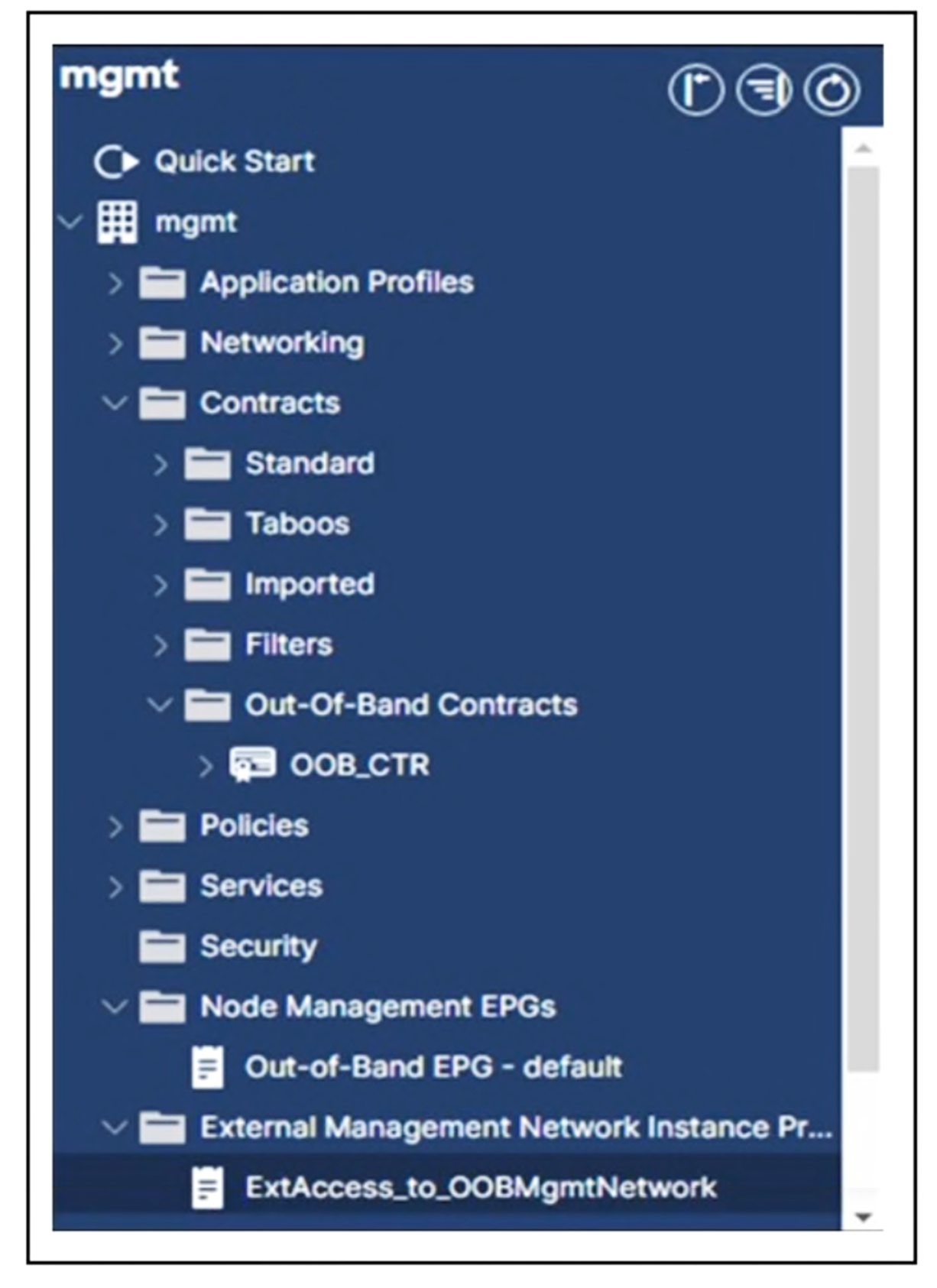
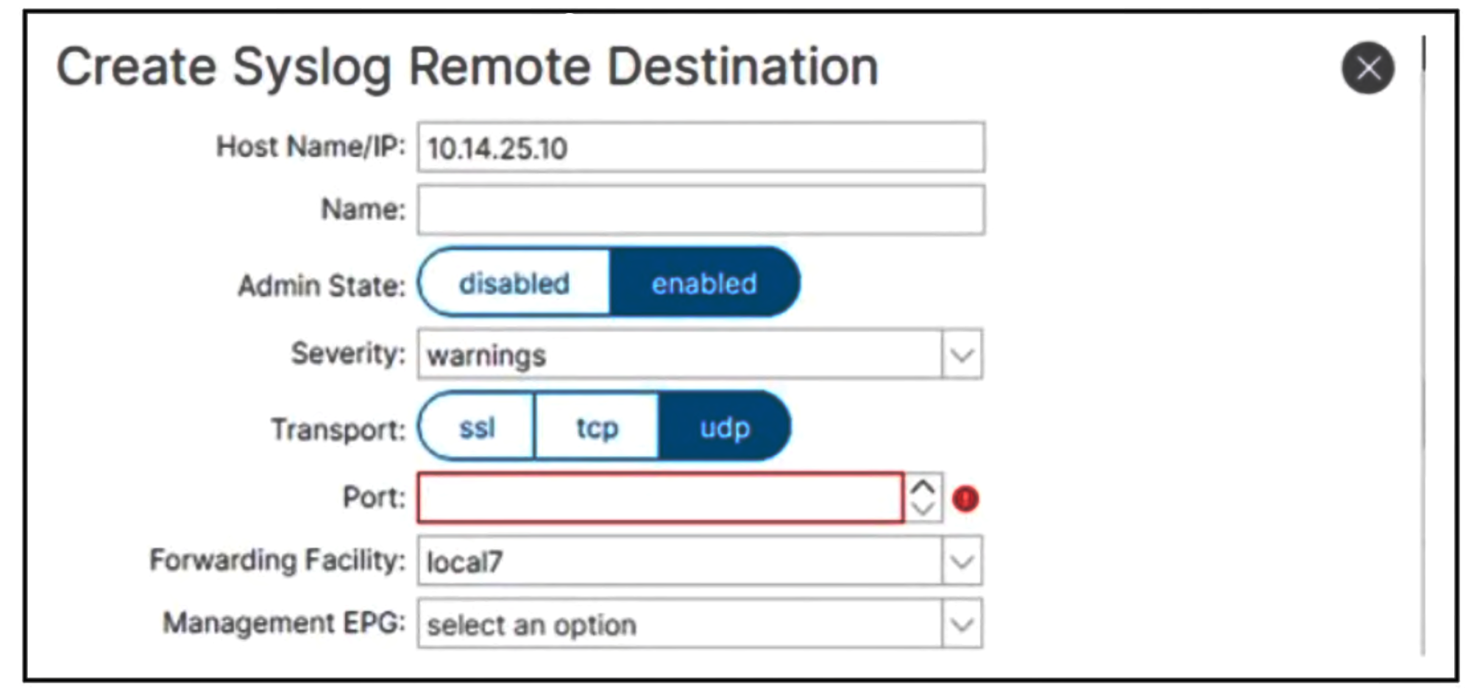 Which configuration must be selected so that the ACI fabric sends alerts to remote syslog server 10.14.25.10?
Community Insight
The exam tests knowledge of the default syslog UDP port (514) and the requirement to use a dedicated external connectivity Management EPG rather than the internal 'default' EPG for remote traffic.
This question tests the configuration of remote syslog servers in Cisco ACI, specifically regarding the correct UDP port and Management EPG selection. The page establishes that standard syslog uses port 514 and requires a specific external connectivity Management EPG.
Candidates often select the 'default' Management EPG because it is visible in the fabric topology, failing to realize that remote server communication requires an External Connectivity EPG like 'ExtAccess_to_OOBMgmtNetwork'. Others might choose port 614 due to confusion with HTTPS or other management protocols.
Community Discussion (1 comments)
Comments & Corrections
No comments yet — spotted an error or have a note? Share it below.
Expert Analysis
Why the Answer Is Correct
Correct answer: C — Configure the remote syslog server on UDP port 514 within the 'ExtAccess_to_OOBMgmtNetwork' Management EPG. Standard syslog communication operates over UDP port 514. In ACI, traffic destined for external networks (like a remote syslog server at 10.14.25.10) must traverse an External Connectivity Policy, which is represented by a Management EPG such as 'ExtAccess_to_OOBMgmtNetwork'. The 'default' Management EPG is typically used for internal fabric management or direct access, not routed external traffic.Why the Other Options Are Wrong
Option A is incorrect because while port 514 is correct, the 'default' Management EPG is generally not suitable for sending alerts to a remote external IP address without proper external connectivity policies defined. Option B is incorrect because port 614 is not the standard syslog port; it is often associated with other services or is a distractor. Option D is incorrect for both reasons: it uses the wrong port (614) and the wrong EPG ('default').Community Comment Notes
One commenter noted that the screenshot only shows the 'default' EPG, suggesting they chose A based on visual availability. However, this ignores the logical requirement for external connectivity. Another perspective emphasizes that remote servers require an external interface policy, reinforcing the need for the specific external EPG.Exam Strategy
Always verify the protocol port first (Syslog = UDP 514). Then, determine if the destination is internal or external; if external, you must look for an External Connectivity Management EPG, not the internal default.
Frequently Asked Questions
Why is the 'default' Management EPG incorrect for remote syslog?
The 'default' Mgmt EPG is for internal fabric management. Remote servers require an External Connectivity EPG to route traffic outside the fabric.
Is syslog always port 514 in ACI?
Yes, standard syslog uses UDP port 514 unless explicitly configured otherwise, but 514 is the expected default for certification questions.