Troubleshooting HyperFlex Native Snapshot Failures
Short answer
C The most probable reason is that Virtual machines are in suspended state, which is explicitly unsupported for HX Native Snapshots.
Question
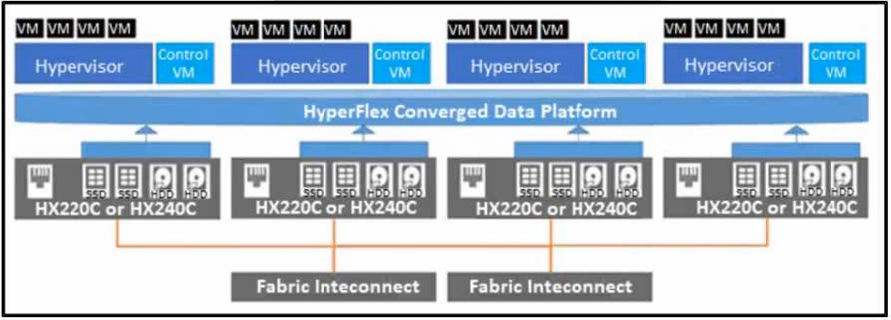
Key Takeaways
The question tests knowledge of preconditions for HX Native Snapshots, with the trap being the assumption that storage provisioning or naming issues are the primary cause rather than VM power state.
This question addresses a common failure mode when creating HX Native Snapshots in Cisco HyperFlex environments, specifically focusing on VM state constraints. It establishes that suspended virtual machines are explicitly unsupported for snapshot operations.
Common mistake: Many candidates select 'The source disk is thick provisioned' because they associate thick provisioning with storage inefficiency, but this does not prevent snapshot creation in HyperFlex.
Expert Analysis
Why the Answer Is Correct
Correct answer: C — The most probable reason is that Virtual machines are in suspended state. According to Cisco HyperFlex documentation, creating the first HX native snapshot and the HX SENTINEL snapshot on VMs in a suspended state is not supported. This is a hard constraint enforced by the HX Data Platform software to ensure data consistency.Why the Other Options Are Wrong
Option A (Duplicate names) causes configuration errors or deployment failures in vCenter/HyperFlex management, but it is not listed as a direct blocker for the snapshot operation itself in standard troubleshooting guides compared to the explicit suspension rule. Option B (Thick provisioned) is incorrect because HyperFlex handles thick-provisioned disks transparently; the snapshot mechanism relies on block-level changes, which work regardless of initial provisioning type. Option D (Insufficient space) would typically result in a generic failure or warning about capacity, but the specific exclusion of suspended VMs is a documented technical limitation that fits the "most probable" scenario for selective failures.Community Comment Notes
One commenter noted that "Creating the first HX native snapshot... on VMs in a suspended state is not supported," directly citing the admin guide. Another user initially argued for thick provisioning due to storage allocation myths but later conceded to the suspension state based on official documentation. The community consensus shifted towards C after referencing the specific restriction in the HXDP Admin Guide.Official Reference
This link opens the official vendor documentation in a new tab.
Exam Strategy
When troubleshooting HyperFlex features, always check the state of the objects involved (e.g., VM power state). Remember that suspended VMs are effectively paused and cannot be snapshotted by HX Native snapshots due to lack of active I/O context.
Frequently Asked Questions
Can thick-provisioned disks be snapshotted in HyperFlex?
Do duplicate VM names prevent snapshot creation?
Community Votes
40% of anonymous learners picked answer C. Votes are pick records left by other test-takers — they are not the verified answer.
Discussion 4 contributions
Compiled from public community threads and reader submissions, lightly edited for clarity. Handles and vote tallies are shown as recorded, and comments reflect the views of individual contributors.
From public community threads 4
-
Fcpoultry 👍 2 Answered COn second thoughts, perhaps "C"is correct as we are talking about VMs. Suspended VMs - Creating the first HX native snapshot and the HX SENTINEL snapshot on VMs in a suspended state is not supported. https://www.cisco.com/c/en/us/td/docs/hyperconverged_systems/HyperFlex_HX_DataPlatformSoftware/AdminGuide/5-0/b-hxdp-admin-guide-5-0/m_hxdp_snapshots.html#id_13130
-
Wasamela 👍 2 Answered BThe answer is B, "The source disk is thick provisioned" as when this happens all the storage space is allocated upfront, regardless of whether it's being used or not, leading to inefficiencies and limitations when creating the Snapshots.
-
Fcpoultry 👍 1 Answered ADuplicate names - VMs or Resource Pools with duplicate names within the HX Data Platform vCenter are not supported and cause HX native snapshots to fail. This includes parents and children within nested resource pools and resource pools within different vCenter clusters. https://www.cisco.com/c/en/us/td/docs/hyperconverged_systems/HyperFlex_HX_DataPlatformSoftware/AdminGuide/5-0/b-hxdp-admin-guide-5-0/m_hxdp_snapshots.html#id_13130
-
lurker8000 👍 1I will go with B as well.
Reader comments & corrections
No reader corrections yet — spotted an error or have a note? Share it below.