Configuring Home Network with DMZ for Remote Access and Gaming
Short answer
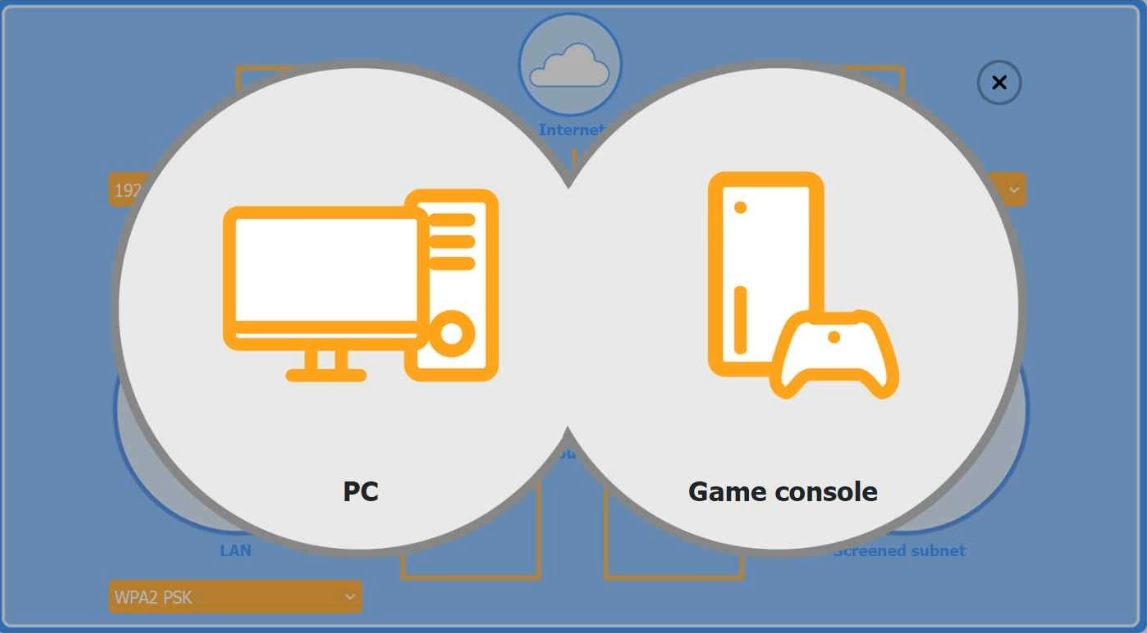
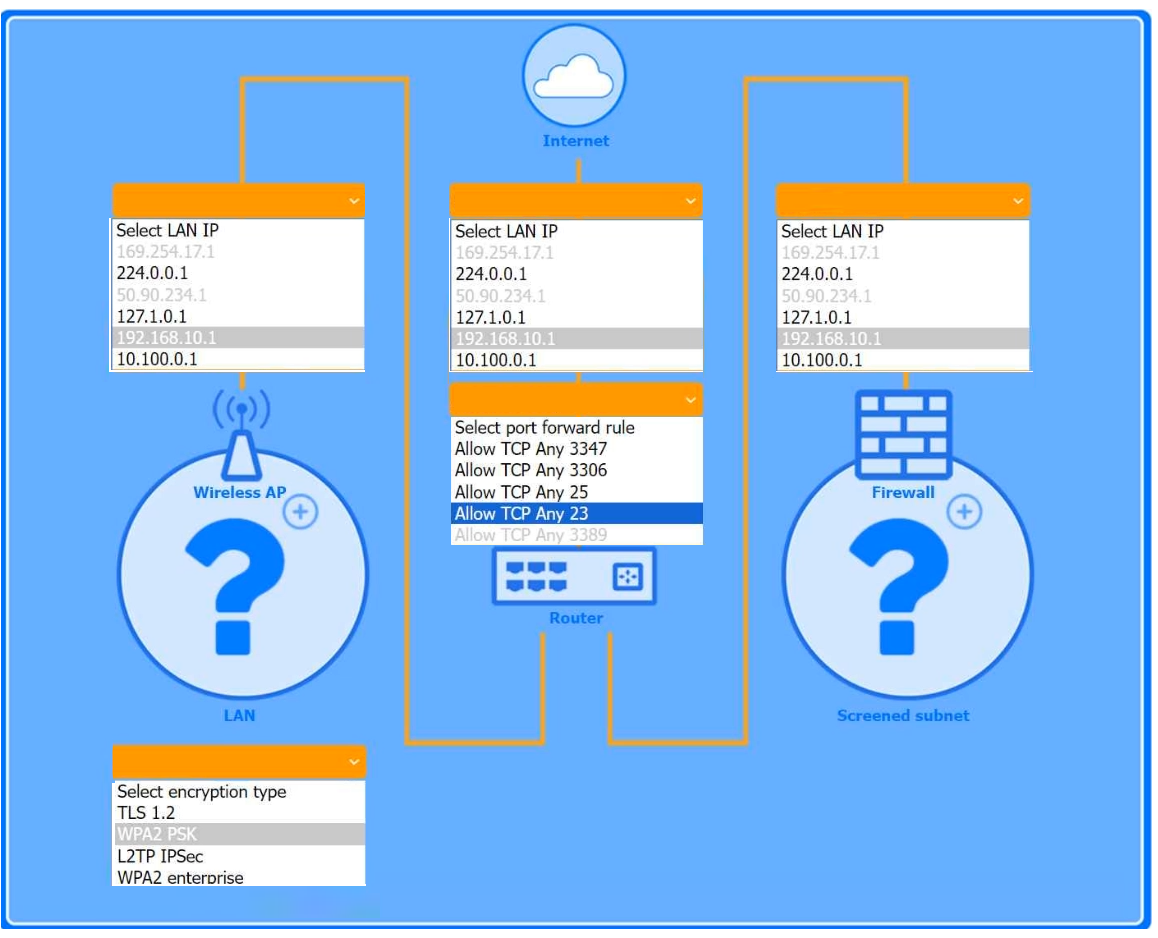
Place the Windows PC and Game Console in the Firewall Screened Subnet. Connect the Wireless AP to the LAN side of the firewall and assign it a valid private LAN IP address.
Question
You are configuring a home network for a customer. The customer has requested the ability to access a Windows PC remotely, and needs all chat and optional functions to work in their game console.
INSTRUCTIONS
Use the drop-down menus to complete the network configuration for the customer. Each option may only be used once, and not all options will be used.
Then, click the + sign to place each device in its appropriate location.
If at any time you would like to bring back the initial state of the simulation, please click the Reset All button.
Wireless AP LAN
Firewall Screened Subnet
Key Takeaways
The question tests the understanding of network segmentation using a Firewall Screened Subnet (DMZ) to safely expose specific devices to the internet without endangering the internal LAN.
This page explains how to configure a home network by placing the Windows PC and Game Console in the Firewall Screened Subnet to allow secure remote access and gaming features while keeping the main LAN isolated.
Common mistake: Placing all devices on the LAN or incorrectly assigning APIPA addresses to the Wireless AP. Users often fail to recognize that remote access and gaming servers require isolation via a DMZ/Screned Subnet to balance accessibility and security.
Expert Analysis
The scenario requires configuring a network topology that separates the internal trusted devices from the external untrusted internet, while ensuring specific functionality for a game console. The key constraint is allowing remote access to a Windows PC and enabling chat/optional functions for the game console. These requirements necessitate exposing services to the outside world or handling complex port mappings, which poses a security risk if done on the standard local area network (LAN).
The correct configuration places the Windows PC and the Game Console in the Firewall Screened Subnet (also known as a DMZ - Demilitarized Zone). This subnet acts as a buffer between the LAN and the internet. Devices placed here are accessible from the WAN but are isolated from the internal LAN, protecting sensitive internal data. This satisfies the customer's need for remote access and gaming features without compromising the security of the rest of the home network.
The Wireless AP should be connected to the LAN side of the firewall. It provides connectivity to the internal trusted devices (like personal computers and printers) that do not require direct external exposure. The IP address assigned to the Wireless AP on the LAN side should be a private static IP within the LAN subnet (e.g., 192.168.1.x), not an APIPA address (169.254.x.x) or a public WAN address.
The Internet/WAN connection connects to the external interface of the firewall. The comment mentioning '192.168.1.1 is for default address for internet router' refers to the gateway IP often seen on consumer routers, but in this simulation context, the focus is on logical placement. The 'select LAN IP before the firewall' instruction implies assigning a private IP to the device connecting to the LAN side. Leaving it blank is incorrect; it must have a valid LAN IP. The core principle is segmentation: high-risk or externally-facing devices go into the screened subnet/LAN with proper firewall rules, while general internal traffic stays on the LAN.
Official Reference
- https://aplus.city/comp-tia-a-plus-220-1002-objective-7-1-networking-and-wireless/
- https://www.comptia.org/certifications/a
These links open the official vendor documentation in a new tab.
Exam Strategy
When asked to place devices in a network diagram, look for keywords like 'remote access,' 'public facing,' 'server,' or 'gaming.' These indicate a need for a DMZ or screened subnet. Always isolate these devices from the internal LAN to prevent lateral movement in case of compromise. Assign private IPs to LAN-side devices and ensure the firewall mediates traffic between the screened subnet and the WAN.
Frequently Asked Questions
Why put the game console in the screened subnet?
What IP should the Wireless AP use?
Discussion 5 contributions
Compiled from public community threads and reader submissions, lightly edited for clarity. Handles and vote tallies are shown as recorded, and comments reflect the views of individual contributors.
From public community threads 5
-
rf18 👍 3i passed the exam today i had 5 or 6 PBQ questions this one was one of them. i had 75 of questions but the majority came from this version and i studied the older version questions as well . wishing you all goodluck and if you have question let me know
-
Sgtlipstick 👍 1We can’t really get the correct dropped down answer, I encountered it today but there was LAN, WAN and Subnet which this scenario explanations didn’t indicate. I would appreciate if it’s explained in detail. I nailed it with 8+
-
ef01932 👍 1the IP 192.168.1.1 is for default address for internet router and the IP 169.254.17.1 is generated with APIPA so 169.254.17.1 will be on AP and 192.168.1.1 to internet.
-
rf18 👍 1did anyone take the exam recently any new core2 stimulation ? im hoping that we get more questions added soon
-
0fa26f8 👍 1then what about where where it says select LAN IP before the firewall? leave that blank?
Reader comments & corrections
No reader corrections yet — spotted an error or have a note? Share it below.
Related Analysis
Practice All 220-1202 Questions
Access 105 questions with complete answers and detailed explanations.
View Full 220-1202 Practice Test →